





Great events are built on clear and timely communication. When messages are scattered across tools, it becomes harder to stay consistent, react quickly, and understand what actually works.
With idloom, an event management platform, all event communication lives in one place. Invitations, campaign emails, and follow ups are created, sent, and tracked directly from your account. This makes it easier to stay organized, collaborate with your team, and keep every message aligned with your brand.
By bringing email creation, delivery, and performance insights together, organizers spend less time managing tools and more time engaging their audience. You can see how recipients interact with your emails, adapt your messaging accordingly, and build communication flows that feel relevant from the first invite to the final follow up.
What are the main sections of the emailing module?
The emailing module is organized into four main sections designed to help you move from strategy to execution and analysis.
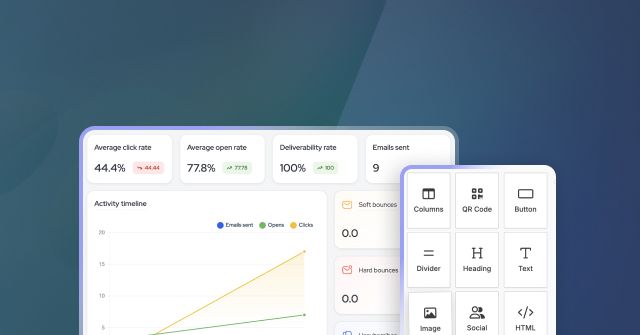
- Dashboard and reporting
The dashboard shows global statistics at account level, including average open rates, click rates, bounces, and campaign trends. This gives a quick overview of how your communications perform over time. - Campaigns list
All campaigns are displayed as cards with previews, status, campaign type, and language. Users can switch between card view and list view depending on their preference. - Email Templates
Templates can be created by your team or selected from idloom’s default templates. These templates can be duplicated and reused as a base for future campaigns, helping maintain brand consistency. - Media library
The media library allows you to organize images into folders and subfolders. Images stored here can be reused across campaigns and templates
How do I choose the right campaign type for my event emails?
When you create an email campaign in idloom, the first real decision is not about design or content. It is about who should receive the email and when. This choice determines whether your campaign is a one off message or an ongoing communication linked to an event.
Campaigns based on imported contacts
This campaign type is designed for situations where your recipients are not directly linked to an event in idloom. You upload a file containing email addresses and use it as the audience, which makes this approach ideal for invitations, announcements, or post event communication sent to external contact lists.
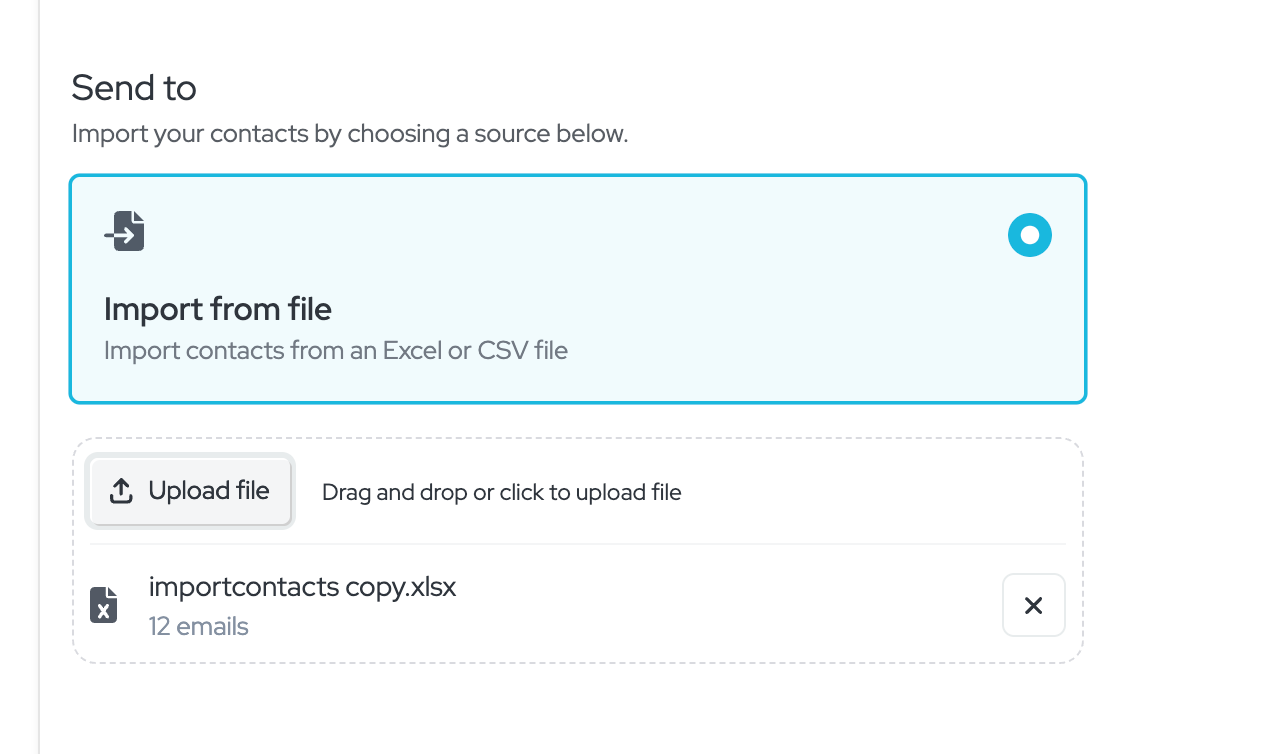
- The first row of your file must contain column headers that act as merge tags, such as first name, last name, email, company name, or any other relevant field. These merge tags can be used in the email editor to personalize your message.
- The second row and all following rows must contain the actual contact data that corresponds to those merge tags, defining who will receive the campaign and how the content is personalized.
Because the audience is imported from a file, the campaign is static. Only the contacts included at the time of sending will receive the email, and the audience does not change afterward.
Event based campaigns
Event based campaigns are directly connected to an event and its attendees, allowing you to send targeted emails without uploading contact lists. You select an event and a segment, which is a dynamic group of attendees defined by registration data, preferences, demographics, or custom fields.
Segments give you powerful control over your messaging, enabling highly personalized communication such as VIP only emails, language specific campaigns, role based messages, or precise follow ups, all while ensuring each message reaches exactly the right audience.
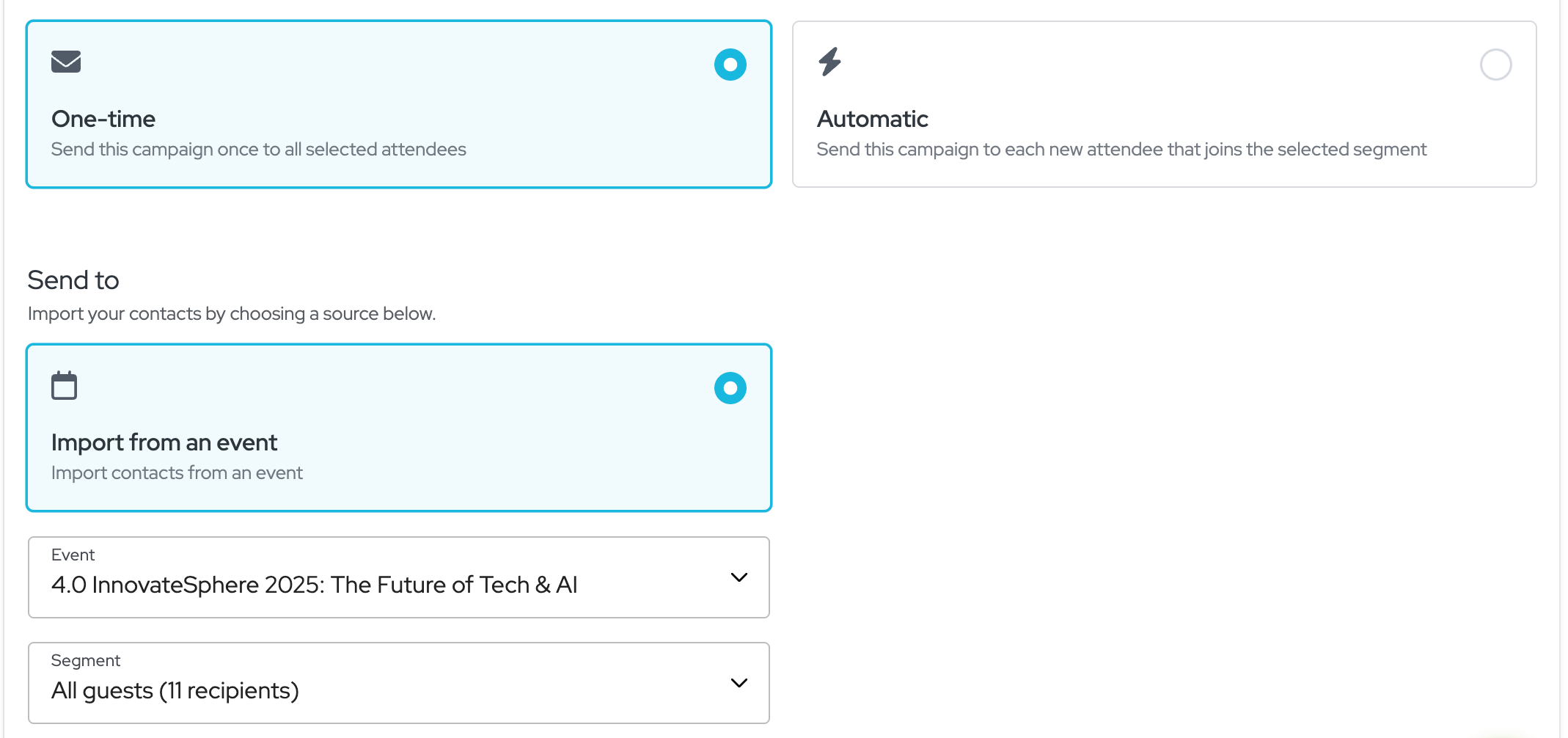
This campaign type is more dynamic and offers two different behaviors.
- A one time campaign sends a single email to everyone who belongs to the selected segment at that moment. It is ideal for reminders, announcements, or last minute updates where timing matters and the message should only be sent once.
- An automatic campaign behaves differently. It sends the email the first time you activate it, and then keeps running in the background. Every new attendee who later joins the selected segment automatically receives the same email. This is especially useful for confirmations, onboarding messages, or information that every new registrant should receive without manual follow up.
In short, one time campaigns speak to a fixed audience at a specific moment, while automatic campaigns grow with your event and keep communication consistent as new attendees register.
How do I design event emails with the drag-and-drop editor?
idloom's email editor lets you build branded event emails without any technical knowledge. It includes 10+ content blocks (text, headings, buttons, images, dividers and more), flexible 1, 2, or 3-column row layouts, and a library of 12 ready-made templates — or you can start from scratch and save your own.
From the editor you can drag and drop any block into your layout, adjust content and structure visually, insert images directly from your media library, and personalize messages using merge tags like first_name or company_name to address each recipient by name or organization.
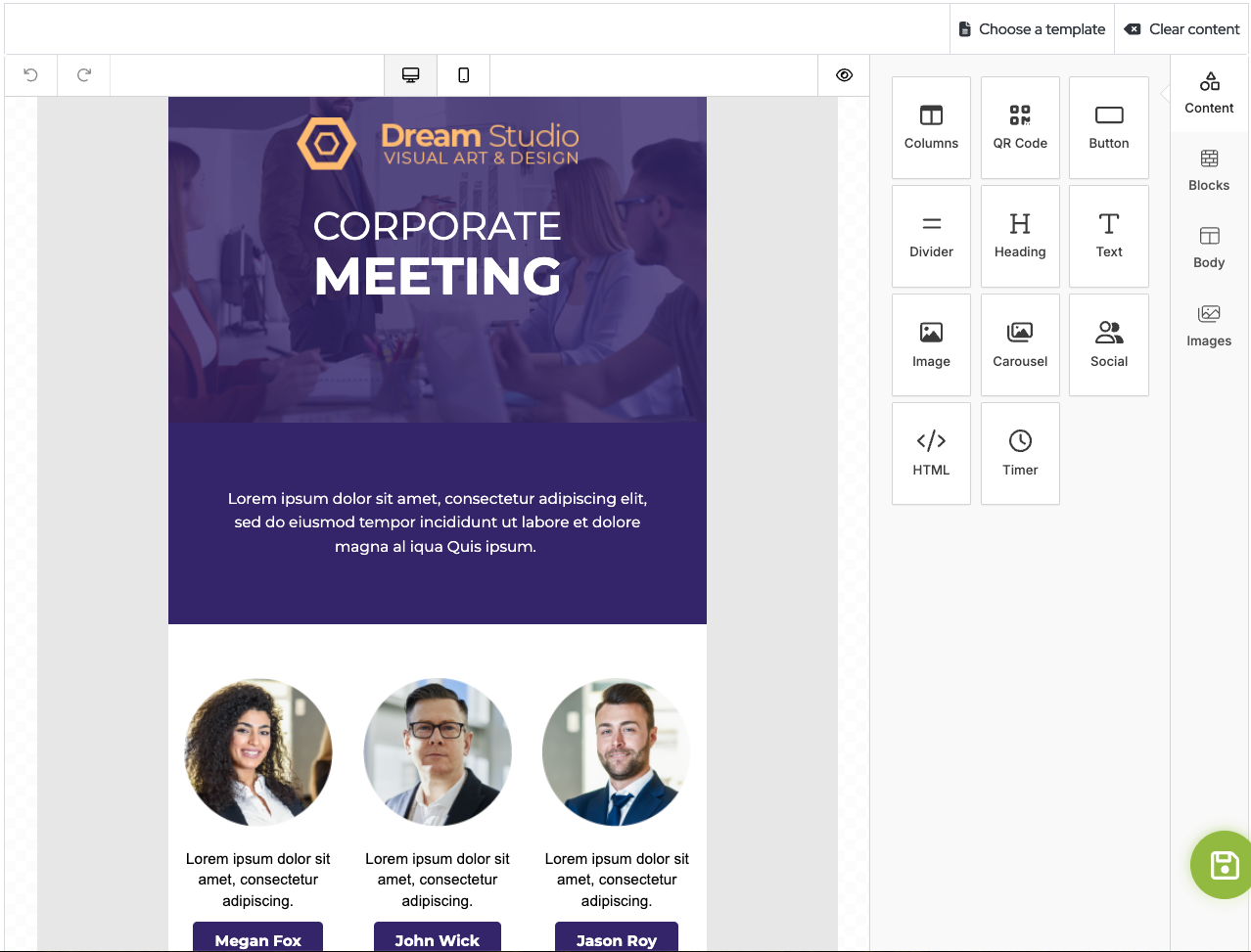
Images can be uploaded directly to a campaign or selected from shared folders in the media library. Once the content is ready, the email can be sent or scheduled immediately.
How do I track email campaign performance?
idloom's emailing module includes two levels of performance reporting: an account-level dashboard that aggregates statistics across all campaigns, and a per-campaign view with detailed delivery and engagement data.
Account-level dashboard
The main dashboard gives a global overview of your email communications across all events and campaigns. It displays headline metrics like: total emails sent, average deliverability rate, average open rate, and average click rate. In addition to headline metrics, an activity timeline charts delivered, opened, clicked, and bounced volumes over time, letting you spot sending spikes, engagement patterns, and anomalies at a glance.
The dashboard also breaks down deliverability by recipient domain, showing sent, opened, unopened, and bounced counts per domain — useful for identifying deliverability issues with specific corporate or institutional mail servers. A campaign performance summary highlights your best-performing campaigns by open rate and click rate.
Per-campaign reporting
Each individual campaign has its own performance view showing:
- Emails sent and deliverability rate — how many emails reached recipients' inboxes
- Open rate — the percentage of delivered emails that were opened
- Click rate — the percentage of delivered emails that generated at least one link click
- Conversion funnel — a visual breakdown from total sent through delivered, opened, and clicked
- Soft bounces — temporary delivery failures (full inbox, server unavailable)
- Hard bounces — permanent delivery failures (invalid or non-existent addresses)
- Unsubscribes — recipients who opted out after receiving the campaign
- Deliverability by domain — per-domain open, unopened, and bounce breakdown
- Most popular links — which links in the email received the most clicks
All statistics are refreshed daily. From the campaign list, you can also duplicate campaigns, archive completed ones, and export full reports including bounce details, unsubscribe lists, and per-recipient delivery data.
What do these metrics mean in practice?
A deliverability rate above 95% indicates a healthy sender reputation and clean contact list. Open rates vary significantly by audience type — institutional and corporate domains (universities, enterprises) typically outperform general consumer inboxes. A hard bounce rate above 5% is a signal to clean your contact list before the next send, as repeated hard bounces can affect deliverability across future campaigns.
Enjoy,
The idloom team