




Let your event website answer attendee questions, automatically
Repetitive questions from visitors and registered attendees are a quiet tax on every event team — “Can I still modify my registration?”, “Is there parking?”, “When does check-in open?”. Each one needs a person and an inbox to answer it, and the volume only grows the closer you get to event day.
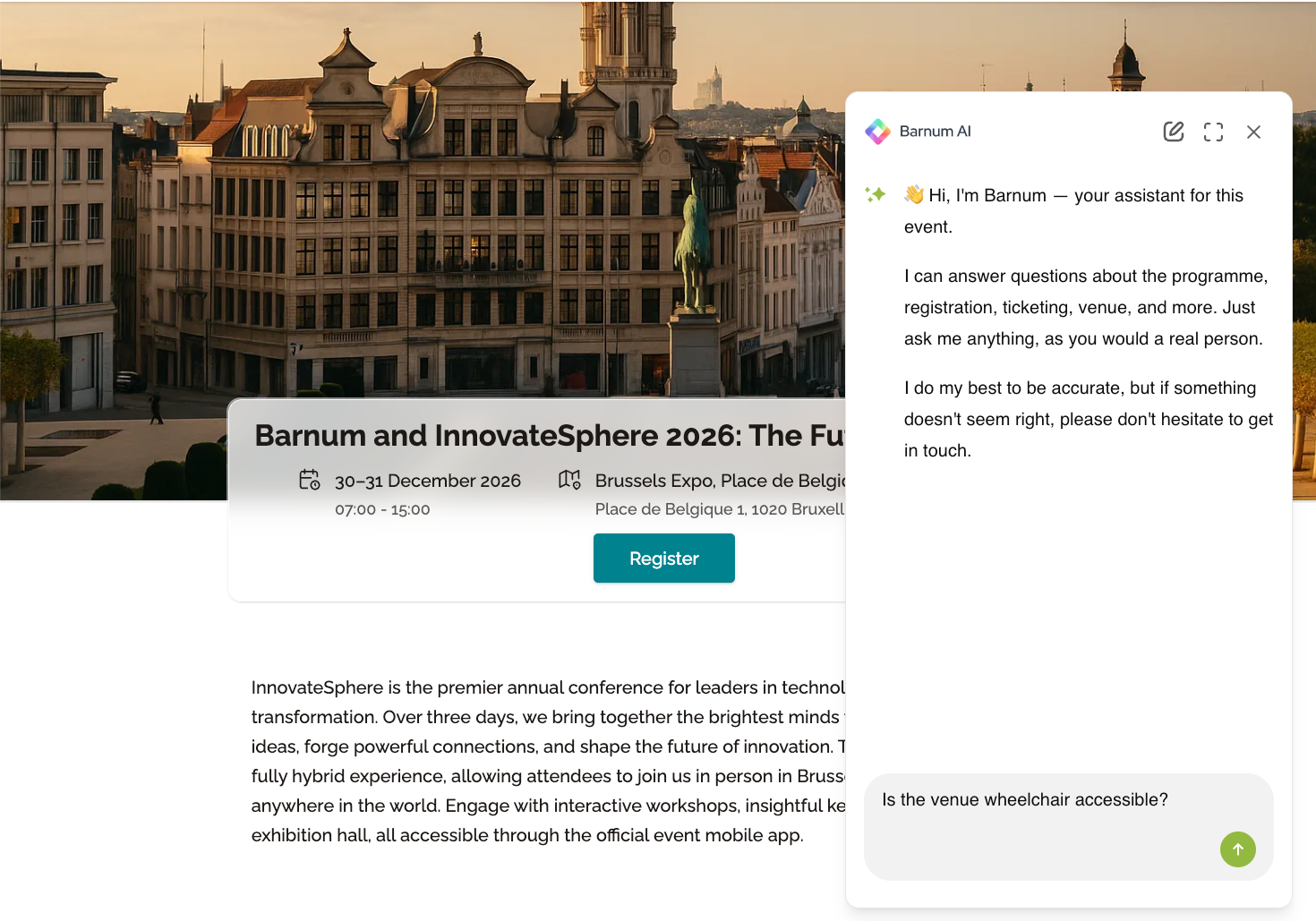
Barnum AI Assistant is an in-page chatbot you can add to any idloom event website. It answers questions from visitors and registered attendees in their own language, using the content you train it on at three levels: account, profile, and event. Barnum is available on the Premium and Corporate plans, reads your event's basic configuration out of the box, and can even answer personal questions about an attendee's own registration when they're using their secure modification link.
How to enable Barnum AI on your event website
Barnum AI is enabled across three levels in idloom, and each level depends on the one above. The order is fixed: account first, then the profile that owns your event, then the event itself.
- Switch it on at the account level. Go to Account settings → Events settings → AI assistant and toggle on Enable Barnum AI on your event website. This unlocks the toggle on every profile in your account.
- Switch it on at the profile level. For every profile that contains events where you want Barnum to run, open Profiles → [profile name] → Events settings → AI assistant and turn on the same toggle.
- Switch it on at the event level. Open the event, go to Content → AI assistant, toggle Barnum on, and save. The chat widget appears on the event website only once all three toggles are active.
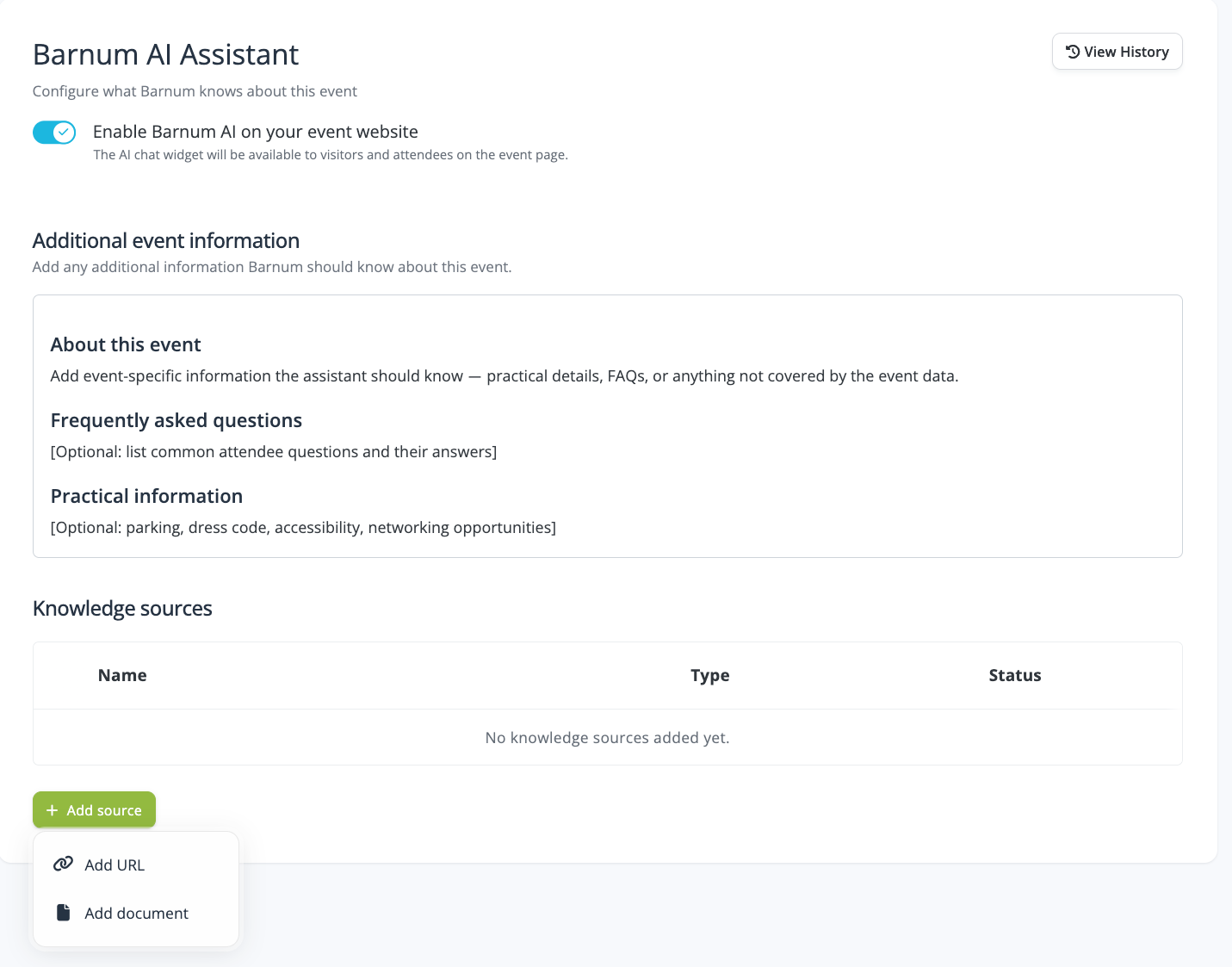
Each of the three pages has the same structure: the enablement toggle, an Additional event information Markdown editor where you write Barnum's behaviour rules, and a Knowledge sources table for URLs and documents. Content from all three levels is used together at answer time — none overrides the others; they all add up.
Train Barnum with your own content
At each of the three levels, the Knowledge sources table lets you feed Barnum three types of content:
- Text editor where you can write content that serves as additional event information.
- URLs — paste a link to a page on your corporate website, a help article, or any public page. idloom fetches the page once, at the moment you add it. Only the single page is fetched; there is no automatic crawl. To include several pages, add each one as a separate source.
- Documents — upload a file from your computer. Accepted formats are PDF, Word, Excel, TXT, Markdown, and RTF, up to 10 MB per file.
Each level holds a maximum of ten knowledge sources, combining URLs and documents.
Use the account level for content that applies to every event you run, such as company background, refund policy, and brand voice.
Use the profile level for content shared across a brand or event series.
Use the event level for content specific to one event, such as the agenda, speakers, venue logistics, and event-specific FAQs.
Alongside the knowledge sources, every level also includes an Additional event information editor where you can write content directly in Markdown. This is perfect for behaviour rules, scope, tone of voice, and short FAQs you do not want to maintain as separate documents.
What Barnum can answer out of the box
Even before you add a single knowledge source, Barnum reads your event's basic configuration and can answer the most common attendee questions:
- Whether registrations can be modified after submission
- Whether registrations can be cancelled
- Whether invoices can be requested or downloaded
- Which tickets are being sold and at what price
- Event dates, location, and other public details
- And much more...
When a registered attendee opens their registration modification URL — the secure link delivered in their confirmation email or available in their attendee hub — Barnum also gains access to that specific attendee's record.
From that point, it can answer personal questions such as:
- “Can I still modify my booking?”
- “What did I register for?”
- “Can I cancel?”
Anonymous visitors on the public site never receive access to this data.
Barnum is also multilingual by default. It detects the visitor's browser language and replies in that language automatically, with no language settings to configure in the back office.
Review past conversations and keep improving
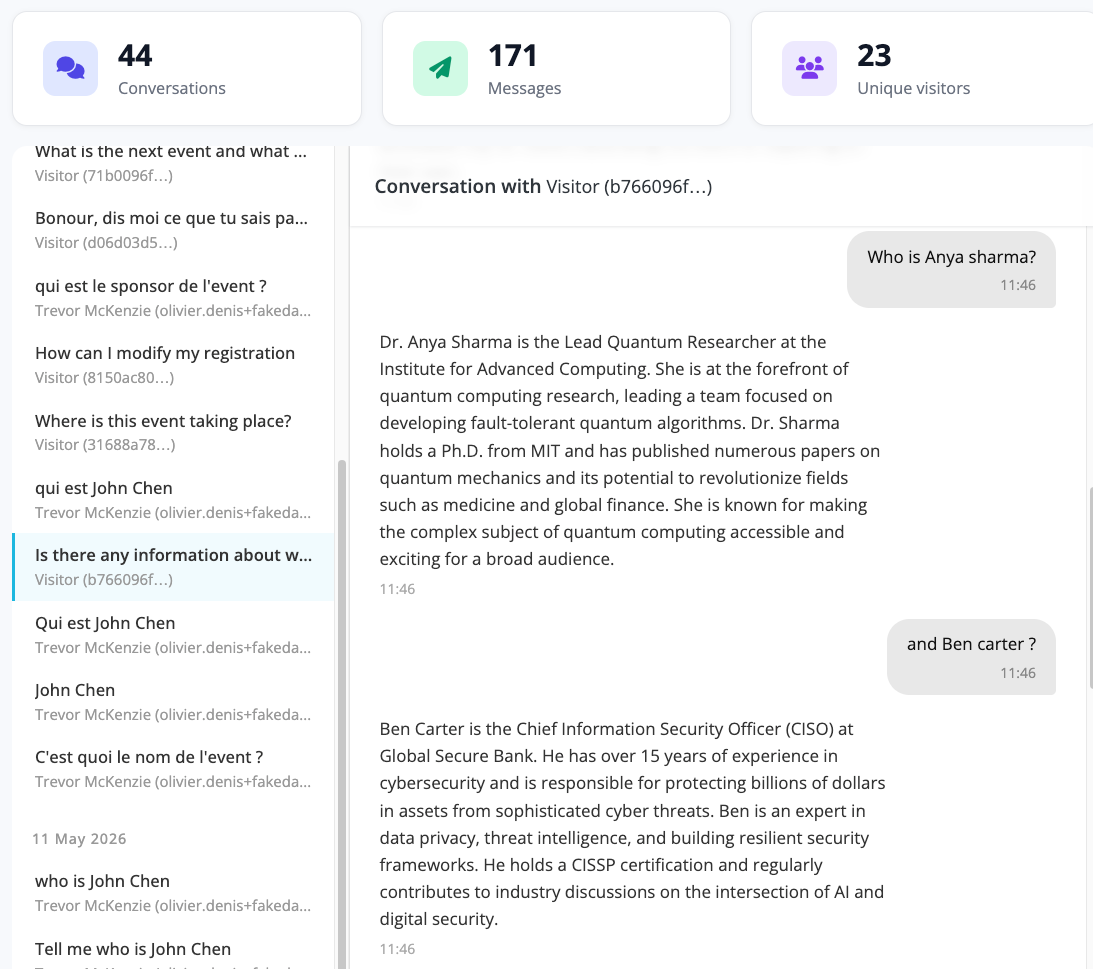
A View History button is available on the Barnum AI Assistant page at the event level.
It opens a read-only screen showing:
- Every conversation Barnum has had with visitors and attendees
- Individual messages exchanged during each conversation
- The unique visitors who interacted with the assistant
Frequently asked questions
Barnum AI Assistant is an in-page chatbot you can add to any idloom event website. It answers questions from visitors and registered attendees in their own browser language, using the content you train it on — documents, URLs, and free-form Markdown rules — together with the event's basic configuration in idloom.
Barnum can answer anything covered by the event's basic configuration, including dates, location, ticket types and prices, registration modification and cancellation policies, and invoicing.
It can also answer questions based on the content you provide, such as agenda details, speakers, venue logistics, refund policies, company background, and frequently asked questions.
For attendees who access the site through their registration modification URL, Barnum can additionally answer personal questions related to their own registration.
Yes. Barnum automatically detects the visitor's browser language and replies in that language. There is no language setting to configure in the back office, and the language used in your training content does not limit the languages Barnum can use when responding.
You train Barnum across three levels — account, profile, and event — using two types of content:
- Knowledge sources (URLs to public pages or uploaded documents)
- Additional event information (Markdown content written directly in idloom)
Content from all three levels is combined whenever Barnum answers a question.
Yes, but only for the attendee who is signed in through their registration modification URL — the secure personal link sent in the confirmation email or available in the attendee hub.
Anonymous visitors browsing the public event website cannot access any registration data.
Barnum AI is included in the Premium and Corporate plans, which are idloom's two highest tiers. If you are on a lower plan, you can upgrade to enable Barnum AI on every event in your account.