





Why choose idloom pay for your events
Collecting payments for your events should be fast, reliable, and affordable. That’s exactly what idloom pay delivers — a fully integrated payment solution that keeps everything under one roof.
With idloom pay, you can activate your merchant account directly in your profile settings and start collecting online payments within 2 business days.
Powered by Shift4, a global leader in payment technology, idloom pay gives you enterprise-grade security and compliance by default. Shift4 handles billions of transactions annually for world-class companies in hospitality, retail, and e-commerce — guaranteeing that every payment processed through idloom pay is fast, secure, and protected.
Collecting funds, refunds, and upcoming payment features
Payments are securely processed through idloom pay and Shift4, while all transaction and registration data remains centralized in idloom.
You can also process refunds directly from idloom, without needing to access external payment provider dashboards.
In addition, advanced payment features are currently under analysis, including:
-
Freezing or holding funds based on down payments
-
Partial fund capture aligned with cancellation rules
-
Automated fund release based on refund or cancellation policies
Getting started with idloom pay onboarding
You can activate idloom pay directly from your idloom account and complete the onboarding in a few steps.
Access the onboarding form
-
Log in to your idloom account.
-
Go to Profile settings > Online payments.
-
Click idloom pay to start the onboarding process.
The onboarding wizard will guide you through five simple steps.
Step-by-step: set up your merchant account
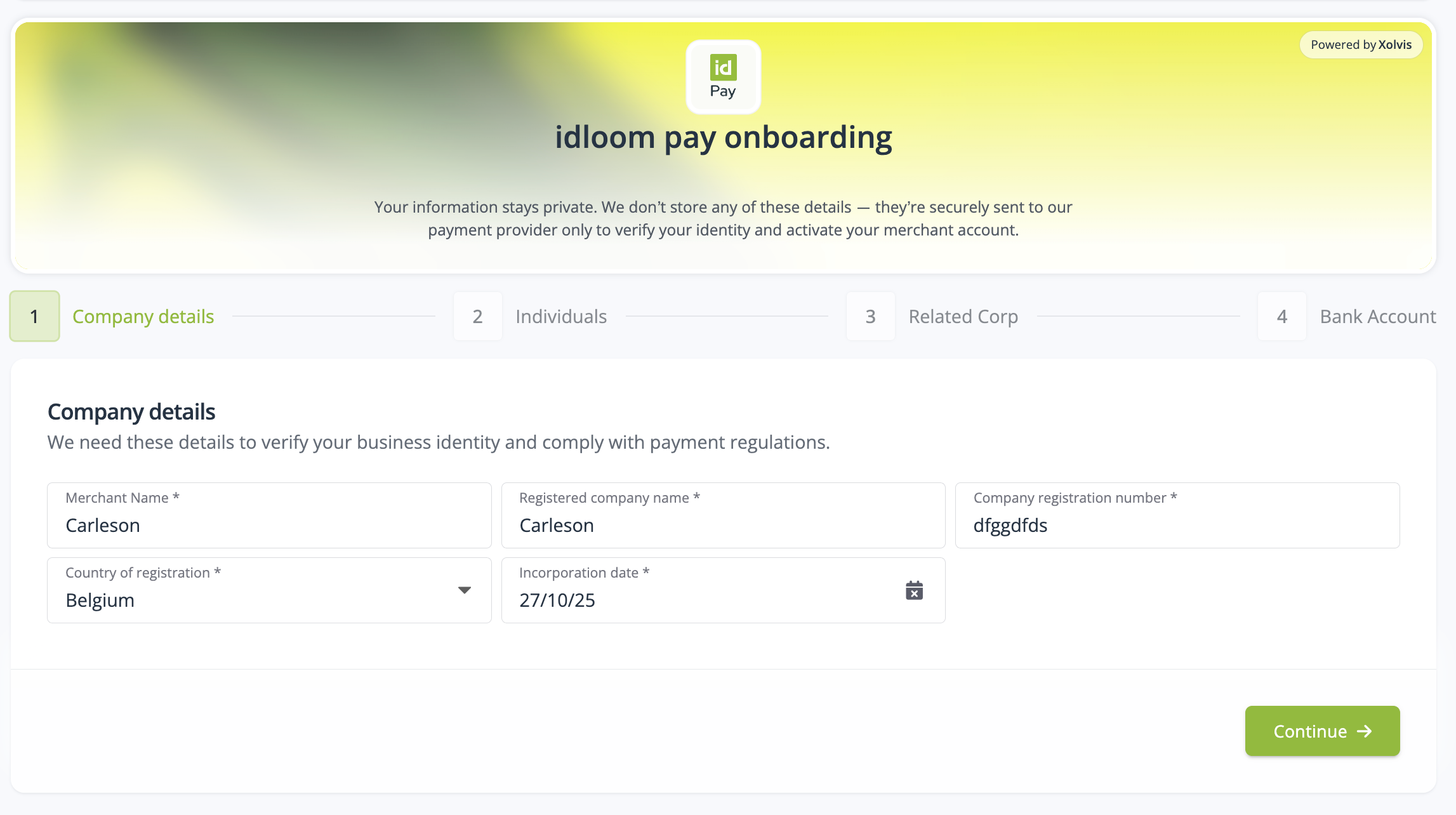
Company details
Provide your company’s legal and business information, including:
-
Merchant name
-
Registered company name
-
Company registration number
-
Country of incorporation
-
Incorporation date
-
Contact phone number
You will also be asked to provide financial information such as:
-
Average ticket price
-
Expected monthly turnover
This information is required for compliance and risk assessment.
Merchant individuals
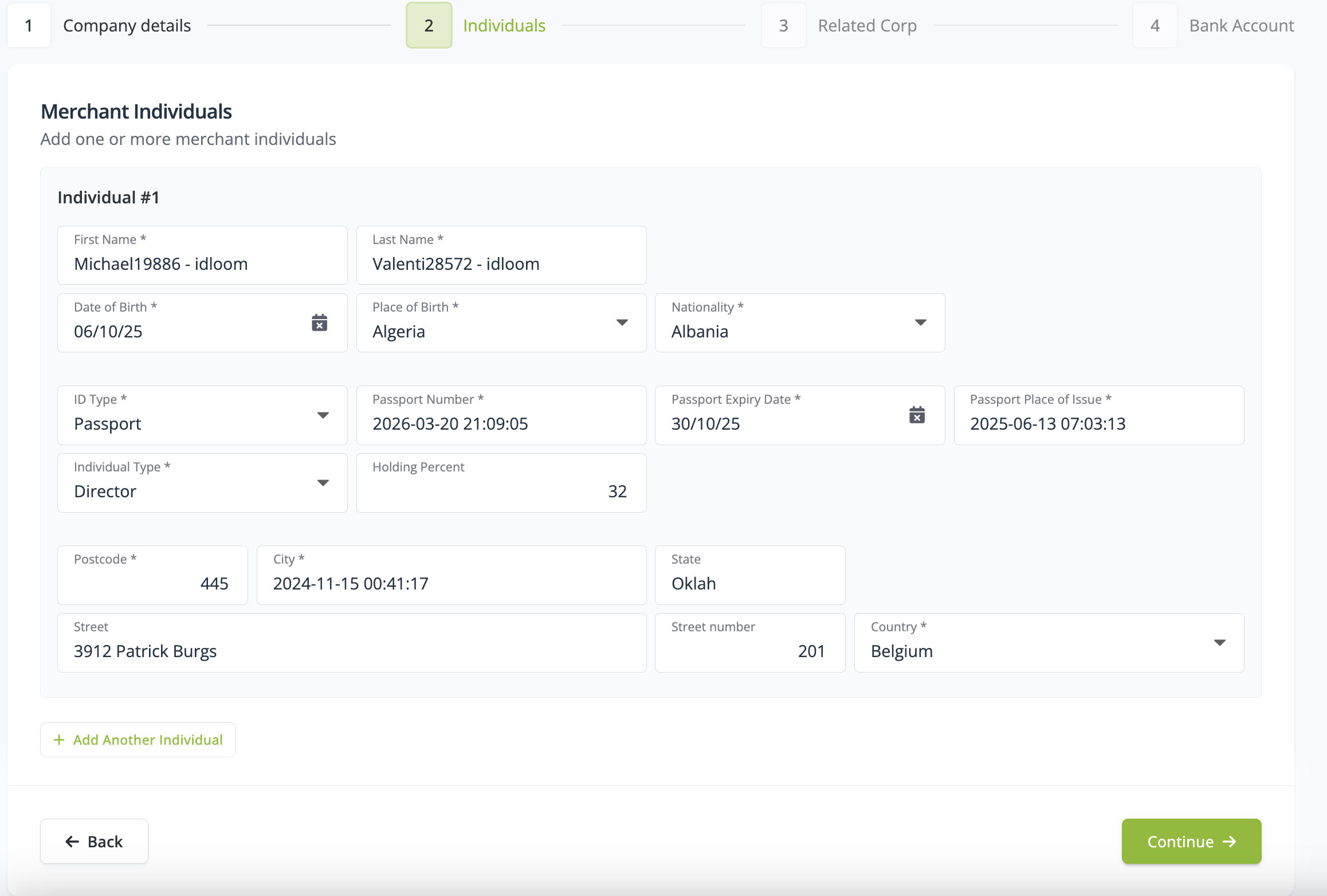
In this step, you define the individuals who legally represent or own the company. At least one merchant individual is required.
Who must be added
Owners with 25 percent or more ownership
If one or more individuals own 25 percent or more of the company, each of these owners must be added as a merchant individual. In this case, UBO documentation is required for those owners.
When no individual owns 25 percent or more
If no single individual owns 25 percent or more of the company:
-
UBO documentation is not required
-
You must still add merchant individual entries for:
-
The authorized signatory, the person who signs the contract
-
Directors of the company, to accurately reflect the business structure
-
Required information for each individual
For each merchant individual, you must provide:
-
Full name and date of birth
-
Nationality and place of birth
-
ID type, number, and expiry date
-
Ownership percentage if applicable
-
Residential address information
Supporting documents are uploaded later in the Documents section at the end of the onboarding process.
For the authorized signatory, the following documents are required for the initial verification:
-
Proof of identity
-
Proof of address
-
Company bank statement
All documents are handled securely and used exclusively for verification purposes.
Related corporate entities
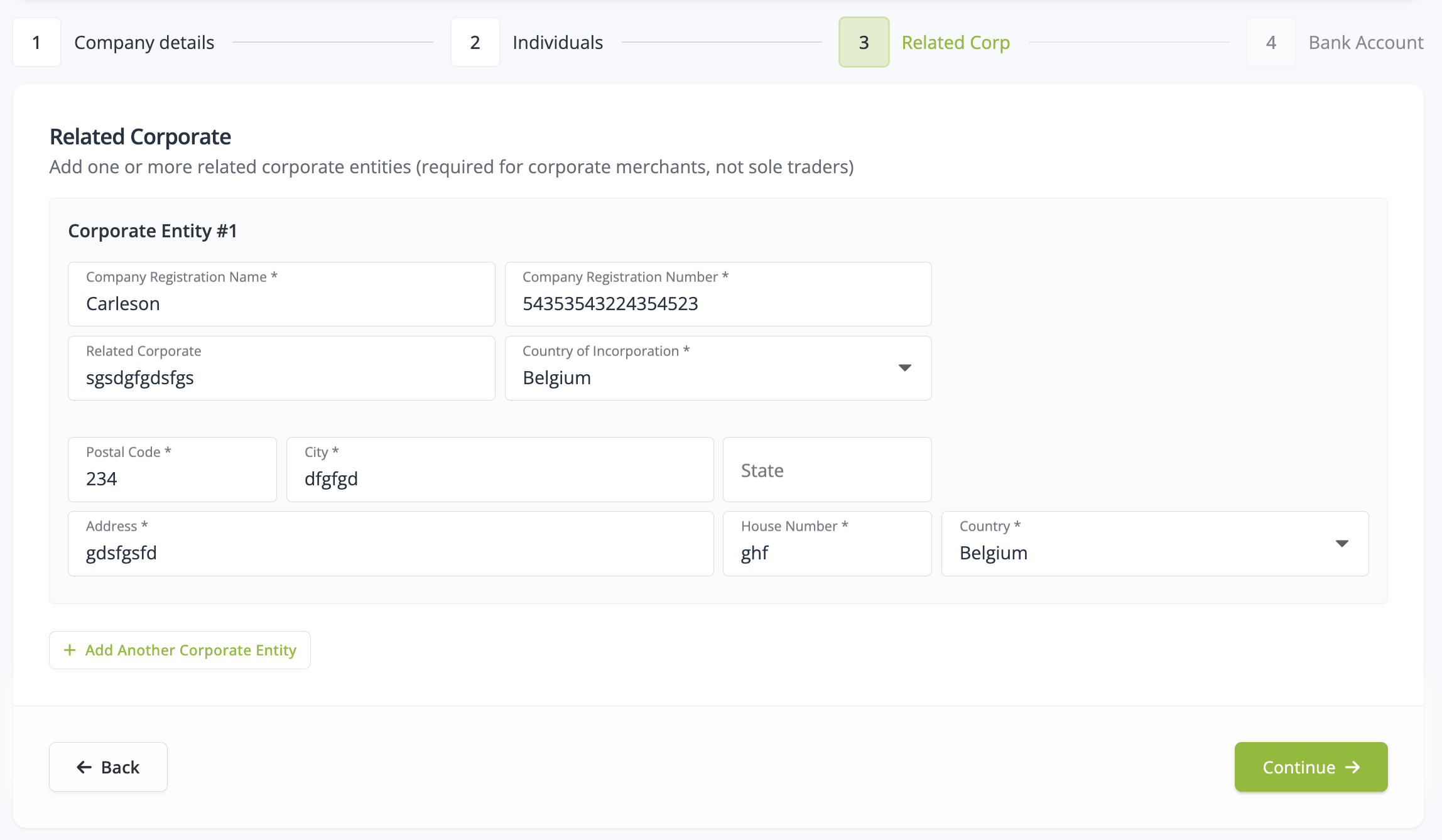
If your company is owned by, controls, or is linked to other corporate entities, such as a parent company or holding structure, you must declare them here.
You will be asked to provide:
-
Registered company name
-
Company registration number
-
Country of incorporation
-
Registered address
If this does not apply to your business, you can proceed to the next step.
Bank account setup
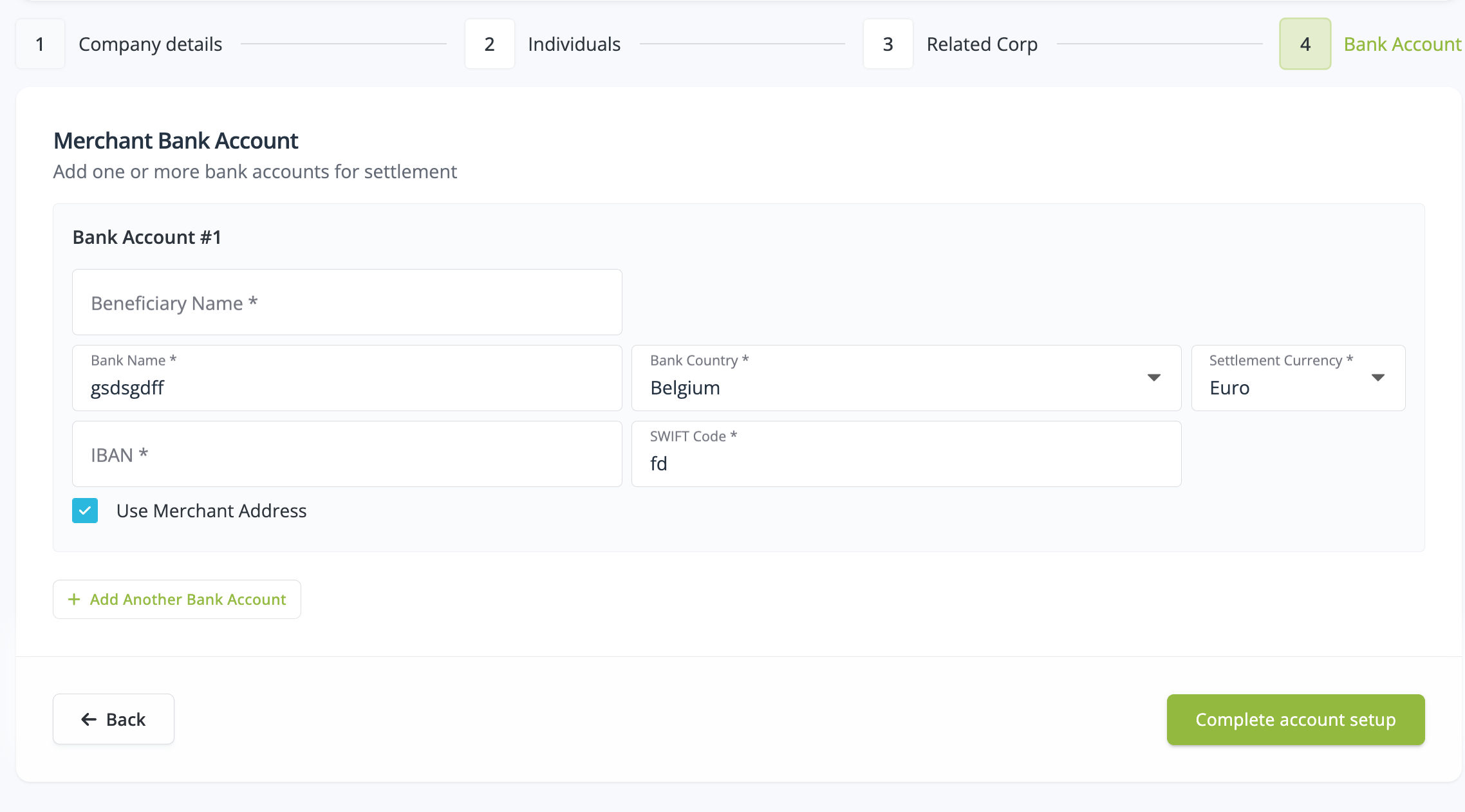
Provide the bank account where payouts will be sent.
You’ll need to specify:
-
Beneficiary name
-
Bank name and country
-
IBAN and SWIFT code
-
Settlement currency
Tick Use Merchant Address if your payout address matches your company address.
Documents
Upload all supporting documents (Proof of company registration, Identification of company representatives, Proof of bank account or address) requested during the onboarding process.
Accepted file formats include PDF, JPG, JPEG, PNG, and TIFF. The maximum file size is 8 MB per document.
Once all documents are uploaded, submit your application.
Submission, verification, and activation flow
If all required information is complete and valid:
-
Shift4 sends you the merchant contract to sign
-
Shift4 creates your merchant account
-
Merchant configuration keys are securely shared with the idloom team
idloom staff are automatically notified and are responsible for adding and validating the configuration keys in your idloom account.
You will remain in contact with idloom throughout this process. Once everything is configured correctly, idloom will give you the green light and confirm that you can start collecting online payments.
Enjoy,
the idloom team
FAQ idloom pay
Accounts are verified within 2 business days after submitting your details. If additional documents are needed, you’ll receive an email notification from Shift 4.
idloom pay is designed to offer a significantly more competitive pricing model than most third-party payment providers.
Fees are lower than the typical 2–3% charged per transaction, making idloom pay a cost-effective solution for event organizers of all sizes.
Detailed pricing information will be communicated very soon.
All data and documents are securely transmitted to Shift4, our payment partner, who performs the compliance checks required by financial regulations.
idloom temporarily stores your personal or financial documents for verification purposes only. All files are transmitted securely and directly to Shift4.
If your application remains pending, documents are stored for a maximum of 30 days and then automatically deleted. Once your application is completed, all documents are removed immediately.
This usually means some information is missing or unclear. Double-check that your company registration number, name, and uploaded documents match official records. You’ll be contacted by shift 4 if additional information is needed.